Showing posts with label Download aplikasi pengedit photo. Show all posts

Wednesday, August 3, 2011

DOWNLOAD JPEGSNOOP : SOFTWARE UNTUK MENGANALISA FOTO


Mau menjadi ahli telamatika secara instan??? Adan wajib membaca artikel ini. Anda tahu kan Roy Suryo? Ya namanya akan muncul ke publik setiap ada skandal foto bugil, foto seronok, foto porno dan video porno para artis. Wartawan akan mewawancarainya tentang bagaimana keaslian foto atau video seronok artis tersebut. Dan gak tanggung-tanggung, titel Pakar Telematikan pun sudah melekat pada dirinya.

Yang jadi pertanyaan, apakah hanya Roy Suryo yang memiliki kemampuan seperti itu. Ternyata banyak, bahkan lebih canggih dari Roy Suryo, tetapi mereka memilih menjadi penonton sambil tersenyum manis melihat ketenaran ahli telematika Indoensia ini.

Kalau sekedar ingin mengetahui keaslian sebuah photo, sangat mudah. Bahkan yang baru belajar komputer saja, asal bisa buka tutup program dan buka file pasti bisa. Syaratnya anda cukup memiliki program JPEGsnoop. Program ini bersifat portabel dengan ukuran yang sangat kecil yaitu 545 KB.

Tampilannya mirip Notepad, cara mengoperasikannya sangat mudah. Klik File, Klik Open, Pilih Phot yang akan dianalisis, Klik Open. Ketia photo sudah terbuka maka akan pada halaman JPEGsnoop akan dijelaskan mengenai detail photo meliputi :
1. Kita dapat mengetahui foto asli apa palsu.
2. Kita dapat mengetahui tanggal di editnya foto.
3. Kita dapat mengetahui media apa yang digunakan untuk melakukan pengeditan.
4. Dll (Kepanjangan – Dicoba sendiri aja JPEGSNOOPnya ya)

Cara penggunaanya :

Download software JPEGSNOOP DI SINI
Buka program ‘JPEGsnoop’ lalu open file yang ingin kita periksa,..


EXIF IFD0 @ Absolute 0×00000014
[Make ] = “Panasonic”
[Model ] = “DMC-FX30″
[Software ] = “ACD Systems Digital Imaging”
[DateTime ] = “2010:07:24 12:53:12″
EXIF SubIFD @ Absolute 0x000000E5
[DateTimeOriginal ] = “2010:07:23 01:02:40″
[DateTimeDigitized ] = “2010:07:23 01:02:40″
*** Marker: APP1 (xFFE1) ***
| xmlns:exif=”http://ns.adobe.com/exif/1.0/”>
| 900
| 1200
| 2010-07-23T01:02:40+7:00
| 2010-07-23T01:02:40+7:00
*** Marker: APP13 (xFFED) ***
Identifier = [Photoshop 3.0]
EXIF Make/Model: OK [Panasonic] [DMC-FX30]
EXIF Software: OK [ACD Systems Digital Imaging]

Kesimpulan nya :

Foto di ambil jam 01.02.40 tanggal 23-july-2010 dengan kamera Panasonic DMC-FX30 pertama kali di-edit mengunakan Photoshop v 3.0
sumber http://uc1n-klik.blogspot.com/2011/05/download-jpegsnoop-software-untuk.html     dengan perubahan seperlunya

Monday, August 1, 2011

Download Adobe After Effect CS4 + SN Full Version Gratis Free

.


Untuk mendownloadnya, teman-teman bisa download langsung melalui mediafire dibawah gambar diatas. Untuk yang versi full semuanya ada 11 part, teman-teman juga bisa mendownload yang portable version, saya sekalian kasih dua link, mau yang portable atau yang biasa silahkan teman-teman tinggal memilihnya.

Selamat Mencoba...!!

Friday, July 22, 2011

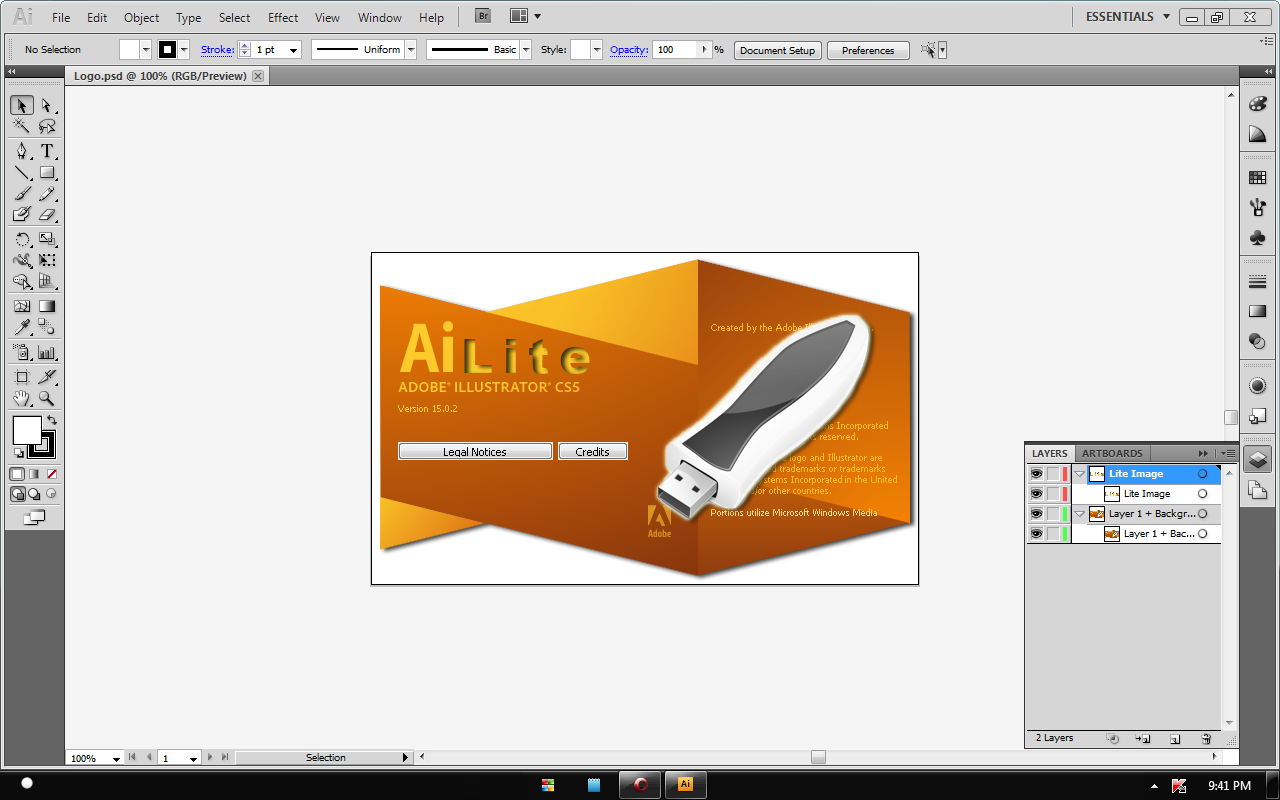
Adobe Illustrator CS5 Lite Portable l 150.37MB

Create distinctive vector artwork for any project. Used by design professionals worldwide, Adobe Illustrator CS5 Portable software provides precision and power with sophisticated drawing tools, expressive natural brushes, a host of time-savers, and integration with Adobe CS Live online services.

Here are some key features of "Adobe Illustrator CS5 Lite Portable":
Sophisticated vector drawing controls:
Create distinctive designs with precise shape-building tools, fluid and painterly brushes, and advanced path controls.
Gradients and transparency:
Interact with gradients directly on your objects and control the transparency of individual colors in gradients and gradient meshes.
Beautiful Strokes:
Fully control variable-width strokes, arrowheads, dashes, and art brush scaling along a path.
In-panel appearance editing:
Edit object characteristics directly in the Appearance panel, eliminating the need to open fill, stroke, or effects panels.
Integration with Adobe CS Review:
Create and share online reviews for clients down the hall or around the world with Adobe CS Review, one of the new Adobe CS Live online services.
Industry-standard graphic file format support:
Work with almost any type of graphic file including PDF, EPS, FXG, Photoshop (PSD), TIFF, GIF, JPEG, SWF, SVG, DWG, DXF, and more.
Adobe PDF file creation tools:
Create more secure, multipage, graphic-rich PDF files with Illustrator layers retained. Share files confidently with service providers, including support for PDF/X standards.
Advanced typography:
Design beautiful text for virtually any media with professional controls for paragraph and character styles, support for OpenType, transparent effects, and more.
Perspective Drawing:
Use perspective grids to draw shapes and scenes in accurate 1-, 2-, or 3-point linear perspective and create the look of realistic depth and distance.
Multiple artboard enhancements:
Work on up to 100 artboards of varying sizes in one file named, organized, and viewed the way you want.
Drawing enhancements:
Draw behind, disregarding stacking order. Draw or place an image inside, instantly creating a clipping mask.
Integration with other Adobe design applications:
Share files smoothly with other Adobe professional design applications and easily create artwork for multiple uses.
Crisp graphics for web and mobile devices:
Create vector objects precisely on the file's pixel grid for delivering pixel-aligned raster artwork.
Requirements:
Intel Pentium 4 or AMD Athlon 64 processor
1GB of RAM
2GB of available hard-disk space for installation; additional free space required during installation (cannot install on removable flash-based storage devices)
1024x768 display (1280x800 recommended) with 16-bit video card
DVD-ROM drive
Broadband Internet connection required for online services


Free Download Adobe Illustrator CS5 Portable l 150.37MB

Ulead Photo Express 6 Full Version

Ulead Photo Express 6 is a photo editing application package that is designed for beginners who want to get something quick, without too much hassle. Ulead Photo Express offers some nice extra that lets you convert your photos into photo albums, calendars, cards, web pages and web albums.


  • Free Download Ulead Photo Express 6

  • Free Download Ulead Photo Express 6 Keygen

  • Adobe Premiere Pro CS3 Full Version


    Create high-quality visual and editorial effects directly within the editing timeline. Generate slow motion and other time-remapping effects with precise keyframe control and real-time feedback. Add color correction, lighting and other effects, audio filters, and more with fast, flexible, built-in tools. Edit footage from multicam shoots with ease and precision
    # Work with the formats you want. Edit all standard- or high-definition formats, from DV and HDV to HD and beyond (some formats may require additional hardware).
    # Create DVD and Blu-ray Discs with Adobe Encore CS3 software, now included with Adobe PremiereƂ® Pro CS3. Work with the same Adobe Encore authoring interface and features used to create standard-definition DVDs. Author once, deliver to three formats: automatically convert your high-definition Blu-ray Disc projects into standard-definition DVDs and interactive versions for the web.

    Work faster with powerful and flexible editing tools. Play video with nested audio sequences in real time without rendering. Replace any clip in the timeline with a new clip while preserving the replaced clipĆ¢€™s editing attributes and settings. Use shortcuts to switch between workspace panels and save time.

    Part 01 Download | Part 03 Download
    Part 02 Download | Part 04 Download
    Free Download Serial Adobe Premiere Pro CS3

    Thursday, March 24, 2011

    Easy GIF Animator Pro v5.2 Full

    Easy GIF Animator

    Create animated GIF images in a snap! Easy GIF Animator is powerful yet very easy to use software for creating and editing animated GIF images. With this animated GIF editor you can easily create animated pictures, banners and buttons in no time. You can use special features to add stunning visual effects and prepare your animation for publishing on your web page. Easy GIF Animator supports all types of GIF animation and provides high compression and great quality for your animated GIF images. To top it all off, Easy GIF Animator is the best priced animated GIF editor on the market today.


    The latest version of our GIF animator includes a built-in image editor, banner wizard and special tools to make your experience even more productive. The new Easy GIF Animator is designed to make the creation of animated pictures more productive and give you better results than ever. Version 5 introduces many exciting new features that enable you to make better animations in less time.

    With Easy GIF Animator You Can:
    • Easily create animated banners, pictures and buttons
    • Create animated GIF images from scratch
    • Edit and modify animated GIF images
    • Add visual effects to your GIF animation
    • Create moving text effects
    • Optimize animated GIF images so they take less space and load faster
    • Preview GIF animation in web browser
    • Resize whole animations at once
    • Manage animation frames
    • Set animation loop count and frame duration
    • Extract separate animation frames
    • Reverse GIF animation or a portion of it
    • Easily set transparency
    • Add sound to your animation
    • Save animation in SWF Flash format
    • Search the Web to find images for use in your animation
    • Export GIF animation to AVI format
    • Use GIF, JPG, PNG and BMP images in your animation
    • Generate HTML code for publishing animation on the web
    • Create animation with sound
    • Export animation to SWF Flash
    • Place text and images on all frames at once

    Easy GIF Animator

    Installation :
    1. Unpack
    2. Install
    3. Use Serial Key or Crack
    4. Enjoy it

    Download:

    Easy GIF Animator

    Filed Under: Design

    Friday, March 18, 2011

    Xilisoft Photo DVD Maker 1.0.1.0917


    Xilisoft Photo DVD Maker 1.0.1.0917
    Xilisoft Photo DVD Maker 1.0.1.0917 | 36.7 Mb

    Xilisoft Photo DVD Maker offers the best solution to convert your entire photo collection to DVD movies, burn them onto DVDs, and view them from your DVD players. With Xilisoft Photo DVD Maker, making a DVD from your photos couldn't be easier: drag and drop your photos to the application, insert a blank DVD, then simply hit the "Burn" button! Xilisoft Photo DVD Maker can also create ISO files and DVD folders for your photo library.

    Moreover, with this versatile Photo DVD Maker, you can apply cool transitional and image effects to your photo slideshow, rotate and flip photos, and insert your favorite audio files. You can also adjust various output, video, and audio settings to fully customize your DVD output. And with multithreading and multi-core CPU processing supported, Xilisoft Photo DVD Maker can convert photos to DVDs while exploiting the full potential of your CPU.

    Features:
    - Turn photos into DVD movies, burn them into DVDs, and enjoy them on DVD players.
    - Make ISO files and DVD folders for your photos.
    - Multithreading and multi-core processing - convert photos to DVD movies at maximum speed offered by your system.
    - Created DVDs are compatible with DVD players of all countries and regions.
    - Apply fade-in and fade-out as well as numerous other effects for photo transitions set the transition duration.
    - Set image playback effects choose from a variety of image rotations: horizontal and vertical, auto, 90° clockwise and anticlockwise.
    - Supports adding several audio files to a single DVD movie as its background music you can also set audio to loop, and apply fade-in and fade-out effects to your audio track.
    - Set the writing speed, video quality, TV standard, audio quality and channel to fully customize your photo to DVD conversion.
    - Add chapters to your DVD title at regular intervals.
    - Set the photo to DVD converter to perform one of the desired actions after DVD creation: exit application, shut down, hibernate, stand by PC, or no action.

    Input File Formats Supported
    Audio: MP3, WMA, AAC, WAV, CDA, OGG, FLAC, APE, CUE, M4A, RA, RAM, AC3, MP2, AIFF, AU, MPA, SUN AU Format
    Image: BMP, JPG, JPEG, PNG, TIFF, SVG

    Output File Formats Supported
    DVD-Video, DVD folder, ISO image file

    Downloadhttp://hotfile.com/dl/70370493/36cf01a/Xilisoft_Photo_DVD_Maker_1.0.1.0917.rar.html

    Thursday, March 17, 2011

    Download gratis ACDSee Pro 3.0 Full Version

    Download gratis ACDSee Pro 3.0 Full Version . ACDSee Pro versi terbaru adalah versi 3.0.475. ACDSee pro adalah aplikasi graphic viewer yang sangat lengkap. ACDSee pro Digunakan untuk menyalin foto dari kamera ke komputer, mengkategorikan dan menilai file Anda, dan mengatur koleksi foto dari berbagai ukuran.Memilih untuk melihat pratinjau gambar kecil ukuran apa saja, atau menggunakan daftar terperinci file properti untuk mengurutkan file. Tidak dapat menemukan foto tertentu? Tidak masalah – ACDSee mencakup berbagai alat-alat pencarian yang sangat kuat dan fitur perbandingan gambar untuk menghilangkan duplikasi.

    Kunjungi situs resminya di http://www.acdsystems.com/

    Berikut link download ACDSee Pro 3.0 Full Version dengan Serial Number atau Crack :
    Download ACDSee Pro 3.0.475 ( 56,43 MB )

    Serial Number ACDSee Pro versi terbaru ACDSee Pro 3.0.475
    User Name = Nama terserah
    Organization = KOMGUE
    Licence Code = GH6DVH-337G5-3W8B2M-7SHLG96 atau GHVDVH-337G5-3CZXPD-K4PFVKZ

    Selamat mencoba. Semoga Serial Numbernya jalan

    Top 15 Aplikasi sebagai Alternatif Pengganti Photoshop

    1. GIMP

    GIMP adalah mungkin Alternatif Photoshop yang paling populer . Dia bekerja di berbagai platform – mendukung Windows, Mac dan Linux. Ia mungkin tidak memiliki semua fitur dalam Photoshop, tetapi lebih dari cukup untuk digunakan sehari-hari.

    Ke situs gmp = http://www.gimp.org/

    2. Paint.NET

    Untuk pengguna Windows, Anda dapat mencoba Paint.NET. Sdofware yang powerfull dan mempunyai komunitas pengguna yang aktif. Jika anda melihat ke dalam forum, Anda akan menemukan banyak plugin dan sharing tutorial Paint.NET oleh pengguna.
    ke situs Paint.NET = http://www.getpaint.net/index.html

    3. Seashore
    Seashore adalah editor gambar yang open source untuk Mac OS X’s Cocoa framework. Software ini hampir mirip dengan teknologi GIMP dan format file asli. Namun, Seashore hanya bertujuan untuk keperluan dasar editing gambar, dan tidak pernah dimaksudkan untuk menggantikan alat editing gambar profesional.
    ke situs Seashore = http://seashore.sourceforge.net/index.php

    4. Artweaver

    Artweaver adalah alat bantu grafis sederhana yang menawarkan semua efek artistik yang Anda butuhkan untuk pekerjaan Anda. Ia memiliki semua fitur yang diperlukan sebuah alat editing gambar, mendukung berbagai format file umum dan bahasa.
    ke situs Artweaver= http://www.artweaver.de/index.php?en_version

    5. PhotoPlus SE

    PhotoPlus adalah pemenang penghargaan digital photo editing software. PhotoPlus itu sendiri tidak gratis, namun Anda dapat men-download PhotoPlus SE, yang merupakan freeware. Dengan PhotoPlus SE, Anda dapat menjalankan fitur-fitur seperti warps dan transformasi, filter, penyesuaian dan dioptimalkan gambar dengan sempurna.
    ke situs PhotoPlus SE= http://www.freeserifsoftware.com/software/photoplus/photoplus-9.asp

    6. Photoscape

    Photoscape adalah software editing yang menyenangkan dan mudah mengedit foto. Memungkinkan anda untuk memperbaiki dan meningkatkan foto. Beberapa fitur kunci adalah batch editor, animasi gif, splitter, warna dan pemetik mentah converter. Selain digunakan sebagai alat editing gambar, photoscape dapat digunakan sebagai image viewer.

    ke situs Photoscape= http://www.photoscape.org/ps/main/index.php

    7. Inkscape

    Inkscape adalah sebuah Open Source vector graphics editor, dengan kemampuan serupa dengan Illustrator, CorelDraw, atau Xara X. Apakah menggunakan standar W3C Scalable Vector Graphics (SVG) format file.

    ke situs Inkscape= http://www.inkscape.org/index.php?lang=en

    8. Krita

    Krita adalah aplikasi open source bitmap editing and drawing untuk KOffice. Krita mempunyai banyak filters.
    ke situs krita= http://www.koffice.org/krita/

    9. Pixen

    Pixen adalah editor grafis yang inovatif untuk Apple Mac. Ini merupakan aplikasi sederhana namun powerfull dan dilengkapi dengan fitur ton. Beberapa contoh adalah lapisan, mampu membuat animasi, powerful palette, antarmuka yang bagus, mendukung berbagai jenis file dan sebagainya
    ke situs pixen= http://opensword.org/Pixen/

    10. PhotoFiltre

    PhotoFiltre relatif kecil jika dibandingkan dengan aplikasi editing gambar lainnya seperti Adobe Photoshop atau GIMP. Namun, untuk memulai mengatur lebih cepat dan memiliki semua fitur dasar dari sebuah aplikasi editing gambar. Juga dapat digunakan sebagai sebuah gambar dan gambar batch converter.
    ke situs PhotoFiltre= http://photofiltre.free.fr/download_en.htm

    11. PaintStar

    PaintStar adalah pengolahan gambar digital serbaguna aplikasi yang sesuai untuk tugas-tugas seperti etouching dari foto, menyusun dan authoring foto dan gambar morphing. Beberapa peralatan yang termasuk dalam aplikasi ini adalah transformation tools, gradient fill tools dan selection tool.
    ke situs PaintStar= http://wang.zhenzhou.googlepages.com/

    12. Pixia


    Pixia pada awalnya dirancang untuk komunitas anime / manga tetapi juga telah digunakan dalam cabang seni lainnya. Ini tersedia dalam berbagai bahasa. Terdapat banyak tutorial Inggris tersedia bagi Anda untuk memulai dengan itu.
    ke situs pixia= http://www.ne.jp/asahi/mighty/knight/index.html

    13. Active Pixels


    Editor foto ini mirip Photoshop dalam berbagai aspek, dari jalan menu dan jendela yang diletakkan di interface-nya dengan cara pintas keyboard yang digunakan untuk berbagai tindakan. Pixel aktif juga berisi beberapa aplikasi tambahan tertanam, seperti red-eye fixer, a picture browser dan screen capture tool
    ke situs Active Pixels= http://idea-systems.net/


    14. ChocoFlop


    ChoceFlop adalah sebuah aplikasi editing gambar yang dirancang khusus untuk pengguna Apple Mac. Berat hanya beberapa megabyte dan waktu untuk membuka program hanya2 detik.
    ke situs ChocoFlop= http://www.chocoflop.com/

    15. Photo Pos Lite
    Photo Pos Lite adalah versi lite gratis dari pemenang award photo editor Photo Pos Pro. Dengan Photo Pos Lite, kamu dapat mengedit dan mengubah gambar dengan mudah
    ke situsnya= http://www.photopos.com/PhotoPosLiteInfo.asp

    Mengelola dan Melakukan Editing Koleksi Foto Digital dengan StudioLine Photo Classic 3 Plus


    StudioLine Photo Classic 3 Plus, dirancang bagi pengguna untuk melakukan manajemen dan editing koleksi foto digital secara ekstensif. Menurut situs resminya, produk besutan H&M Software ini biasanya tersedia untuk dijual seharga $59 per single lisensinya. Tapi sekarang sebagai bagian dari promosi, semua orang berhak memperoleh salinan versi penuhnya tanpa diharuskan untuk membelinya.


    Disini, pengguna dapat mengelola semua format gambar yang umum digunakan didalam sebuah database “Image Archive” yang aman. Selain itu juga memungkinkan untuk mengkategorikan gambar dengan deskripsi tekstual dari setiap panjang dalam sistem deskriptor atau deskriptor pengguna pribadi, atau menetapkan kata kunci dan peringkat. Sementara, mampu mencari dan menemukan gambar untuk mencocokkan tema tertentu adalah tugas yang ringan.


    Dengan bantuan teknologi geotag, memungkinkan foto dapat ditampilkan pada peta digital atau satelit. Dan secara otomatis akan memberikan rincian seperti negara, kota, dan bahkan mungkin nama jalan dimana foto tersebut dibuat.
    StudioLine Photo Classic 3 Plus juga dilengkapi dengan berbagai alat editing foto professional. Dengan beberapa langkah sederhana, Anda dapat mengubah serangkaian gambar menjadi slideshow, mempublikasikan dalam galeri web, membakarnya dalam keping CD/DVD, atau mengirimkannya ke teman dan keluarga melalui email. Anda juga dapat mencetaknya untuk keperluan kartu nama, kartu ucapan, kalender, ataupun cover CD.
    Secara mudah Anda dapat melihat foto didalam album pribadi Anda, melalui Timeline Explorer yang canggih atau dengan kata kunci dan kategori. Serta hindari kerugian akibat kehilangan data dengan backup arsip gambar Anda dengan semua metadata dan hasil editan ke CD, DVD atau harddisk sekunder (external).

    OS Supported : Microsoft® Windows® 7 / Vista / XP / 2000

    DETAIL GRATIS

    Untuk memperolehnya gratis, yang perlu Anda lakukan adalah mengunjungi halaman Request Activation Code berikut lalu masukkan titel, nama depan, nama belakang, serta alamat email valid Anda kemudian klik pada Send Me The Activation Code. Selanjutnya kode lisensi akan dikirimkan secara langsung ke alamat email Anda tersebut.

    Resize, Compress, Convert, and Create Copies of Your Pictures With Light Image Resizer


    Light Image Resizer (sebelumnya dikenal, VSO Image Resizer) adalah sebuah program kuat untuk membantu Anda melakukan pekerjaan resize dan convert gambar. Selain resize dan convert, Light Image Resizer juga dapat menawarkan fungsi kompres dan membuat salinan gambar dengan teknologi multi-core yang cepat untuk hasil resize berkualitas tinggi. Tidak hanya itu, ini memungkinkan membuat gambar menjadi ramah untuk dikirimkan via email atau menggunakannya sebagai gambar web. Mengubah nama, mengurutkan, atau menambahkan watermark untuk melindungi gambar Anda – Tak Masalah! 

    KEY FEATURES :
    • Resize and convert : Resize pictures or convert them into different formats easily. Select your output resolution, create a copy, resize the original, move and/or rename files, or compress them and choose a specific destination for your processed images. Work on individual photos or edit large numbers of images by doing a batch resize in just one click. 
    • Extra settings : Add your own watermark to protect your work or add a copyright to photos with html-like text formatting and transparency support. Customize pictures by converting them to sepia or add a border. Use the live preview to see what the final result will look like before actually processing the image. Image Resizer works on files, folders and subfolders, and supports RAW formats. With multi-core support integrated, convert images even faster. Launch the application easily from Windows shell explorer with a right click on the image or folder. 
    • Output and export : Photos can be added directly as attachments, individually or in a ZIP file, to email by using the publish function, without exceeding the maximum size permitted by email servers. Create PDF files from your images, like jpg to PDF; do this for individual or multiple images. Edit, create, export, backup new profiles with your favorite settings. The most popular profiles are already pre-defined, such as FULL HD resolution wallpaper images, Ipod, NTSC, 640 x 480. Access to profiles in 1 click with the shell integration. 
    • Digital frame : Transfer photos and optimize space on digital frames with the Digital Picture Frame Wizard. Resize pictures to the frame’s supported resolution, and add even more photos for viewing !


    SUPPORTED FORMATS

    • Input image formats : .JPEG, .JPG, .CR2 (Canon RAW), .NEF (Nikon RAW), .DNG (Adobe), .GIF, .ICO, .PNG, .PSD (Photoshop), .TIFF, .ARW, .BMP, .CRW, .MEF, .CUT, .DCM, .DIB, .DICOM, .EMF, .JP2, .JPE, .MRW, .ORF, .PBM, .PCD, .PCX, .PEF, .PPM, .PSP, .PSPIMAGE, .RAF, .RGB, .SGI, .SR2, .SRF, .TGA, .TIF, .WMF
    • Output image formats : .BMP, .JPG, .GIF, .PNG, .TIFF, .ZIP

    SUPPORTED OS : Windows XP SP2, Windows Vista, Windows 7

    PENAWARAN GRATIS

    ObviousIdea memberikan penawaran bebas senilai $14.99 untuk mengambil Light Image Resizer 4 beserta kunci lisensi resminya. Caranya, cukup membuka halaman Facebook mereka lalu klik Like selanjutnya akan ditampilkan kode lisensi produk untuk mengaktifkan.

    PhotoZoom Pro 4 (Full Version) : Memperbesar Image Tanpa Kehilangan Kualitas


    Tidak puas dengan kualitas hasil pembesaran foto digital Anda? PhotoZoom menawarkan solusi untuk memperbesar image sesuai dengan resolusi yang diinginkan tanpa kehilangan kualitas gambar aslinya. Dengan teknologi unik S-Spline Max, memberikan kualitas hasil pembesaran gambar yang jelas dan tajam. PhotoZoom memiliki antarmuka yang mudah, yang perlu Anda lakukan hanyalah membuka file foto yang akan diperbesar, kemudian pilih ukuran resolusi yang diinginkan dan beberapa pengaturan lain, terakhir klik tombol “Save” untuk menyimpan hasilnya dalam format TIFF, PNG, JPEG, BMP, atau TGA.


    FEATURES :
    • The latest S-Spline interpolation algorithms
    • Higher quality image enlargements & higher quality downsizing
    • Advanced fine-tuning tools: create your own presets & save them for later
    • Reduction of (JPEG) compression artifacts and noise
    • Batch processing
    • Multi-processor support
    • Works as stand-alone application, as well as Automation plug-in and Export plug-in for Photoshop
    • Extreme enlargements: up to 1 million by 1 million pixels!
    • Extensive support for high-end images
    • Compatible with the latest versions of Windows, Mac, and Adobe Photoshop (all 64-bit & 32-bit)

    Supported OS : Windows 7, Vista, XP, 2008, 2003, or 2000

    DETAIL GRATIS

    Pada penawaran ini, akan disediakan PhotoZoom Pro 4 rilis terbaru secara gratis untuk semua orang. Umumnya, BenVista Ltd. Selaku pengembang produk memberikan harga € 169.00 untuk membeli satu lisensinya.

    Wondershare Photo Collage Studio


    Wondershare Photo Collage Studio, sebuah tool kolase foto yang kuat, dirancang dengan built-in berbagai template kolase menarik memungkinkan Anda dengan mudah membuat kolase foto pernikahan, bayi, liburan dan pantai. Tidak hanya itu, disediakan juga banyak template kartu ucapan dan kalender memungkinkan untuk mencetaknya dengan kualitas yang tinggi. Ciptakan ide kreatif untuk membuat kolase foto dengan cara menyenangkan – apapun yang Anda suka dengan Wondershare Photo Collage Studio.
    Ini memiliki antarmuka pengguna yang mudah. Dengannya, Anda dapat menggabungkan foto favorit menjadi kompilasi yang artistik dan kemudian dapat dicetak sebagai lembar memo, kalender, atau kartu ucapan. Selain itu, Anda juga akan ditawarkan untuk secara mudah membuat kolase foto yang indah lengkap dengan berbagai resource yang berwarna-warni, seperti layout, template, bingkai foto, efek masker khusus, seni klip dan seni kata yang kaya.


    KEY FEATURES :
    • Easy to make collage from templates or blank pages
    • Built-in collage templates for various occasions
    • Enhance your photo collage with clip arts, masks and more
    • Magic doodle drawing for photo collage
    • Save, print & share your collage

    FILE FORMAT SUPPORTED

    • Input file format supported : BMP, JPEG, JPG, TIFF, PNG, EMF, WMF
    • Output file format supported : TMP, JPG, JPEG, PNG, TIFF

    Supported OS : Windows 7/2000/XP/Vista
    Direkomendasikan terinstall Flash Player 10.0 atau versi diatasnya.

    DETAIL PENAWARAN

    Pada penawaran kali ini, Wondershare Software Co., Ltd. – pengembangnya, menyediakan Wondershare Photo Collage Studio v4.2.16 yang umumnya dijual seharga $29.95 untuk lisensi satu komputernya gratis bagi semua pengguna yang berminat. Nah, untuk mendapatkannya bebas – coba ikuti URL promo berikut lalu masukkan nama dan alamat email dan klik Get it Now.

    URL Promo : http://www.wondershare.com/store/giveaway-of-the-day.html
    Link Download : http://download.wondershare.com/pcls_full15.zip

    Tuesday, March 15, 2011

    Freeware Software for Web Designers

    Image editing


    GIMP is the GNU Image Manipulation Program. It is a freely distributed piece of software for such tasks as photo retouching, image composition and image authoring. It works on many operating systems, in many languages. It has many capabilities and can be used as a simple paint program, an expert quality photo retouching program, an online batch processing system, a mass production image renderer, an image format converter, etc. GIMP is designed to be augmented with plug-ins and extensions to do just about anything. The advanced scripting interface allows everything from the simplest task to the most complex image manipulation procedures to be easily scripted.


    FastStone Image Viewer is a fast, stable, user-friendly image browser, converter and editor. It has a nice array of features that include image viewing, management, comparison, red-eye removal, emailing, resizing, cropping and color adjustments. Other features include a high quality magnifier and a musical slideshow with 150+ transitional effects, as well as lossless JPEG transitions, drop shadow effects, image annotation, scanner support, histogram and much more. It supports all major graphic formats (BMP, JPEG, JPEG 2000, animated GIF, PNG, PCX, TIFF, WMF, ICO and TGA) and popular digital camera RAW formats (CRW, CR2, NEF, PEF, RAF, MRW, ORF, SRF and DNG).

    FastStone Photo Resizer is an image converter / resizer intended to enable users to convert, rename, resize, crop, rotate, change color depth, add text and watermarks to images in a quick and easy batch mode. Drag and Drop mouse operation is well supported. Features: convert and rename images in batch mode, convert to JPEG, TIFF, BMP, PNG, GIF, rename images with sequential number, support folder/non-folder structure. Load and save settings, mouse wheel support, and more.
    IrfanView is a very fast, small, compact and innovative freeware (for non-commercial use) graphic viewer for Windows 9x/ME/NT/2000/XP/2003/Vista. IrfanView is trying to create new and/or interesting features in its own way, unlike some other graphic viewers, whose whole “creativity” is based on feature cloning, stealing of ideas and whole dialogs from ACDSee and/or IrfanView. Some Irfan View features: multi language support, thumbnail/preview option, paint option – to draw lines, circles, arrows, straighten image etc, toolbar skins option, slideshow (save slideshow as EXE/SCR or burn it to CD), support for Adobe Photoshop filters, and more.
    Magnifier is simple and easy to use, always handy for when you need to see all the details. Magnifier has the following features: no popup adverts or spyware, it really is free , it is perfect for visually impared or those with partial sight. It features resizable magnification area, auto-hide window edges allowing increased magnification area, overlay grid for quick alignment, image capture with 10 second delay, you can choose to follow mouse or magnify as you move.
    Picasa is a free software download from Google that helps you to locate and organise all the photos on your computer, edit and add effects to your photos with a few simple clicks, share your photos with others through email, prints and on the web.
    Paint.NET is free image and photo editing software for computers that run Windows. It features an intuitive and innovative user interface with support for layers, unlimited undo, special effects, and a wide variety of useful and powerful tools. An active and growing online community provides friendly help, tutorials, and plugins.
    Easy Thumbnails is a popular free utility for creating accurate thumbnail images and scaled-down/up copies from a wide range of popular picture formats. An elegant interface makes it a snap to find your images and select them for processing individually, in groups, or in whole folders, using a simple file selector and built-in image viewer. You can use slider controls to rotate images and adjust their contrast, brightness, sharpness and quality, and check out the results with the built-in viewer.
    Free Icon Editor program for editing and creating icons, cursors and animated cursors – using common editing tools and effects. Features: attractive and easy-to-use interface. Import from .bmp, .jpg, .gif, or .wmf files. Create and edit icons and cursors in various color depths ( 2, 16, 256 and true color). Select from a number of preset sizes (16, 24, 32, 48, 64) or define a custom size. Create cursors with free hotspots. Create and view animated cursors. Multi-language interface. Fully compatible with Windows 95/98/ME NT4/2000/XP and Windows Vista.
    ImageDiff – allows you to compare two images side by side, and see a difference mask showing you the exact pixels that have changed. Features include: Compare images of different formats, including JPG, GIF, BMP, and TIF, PNG. Compare images of different proportions and imageDiff will scale and calculate the difference automatically.

    Illustration


    Inkscape is an Open Source vector graphics editor, with capabilities similar to Illustrator, CorelDraw, or Xara X, using the W3C standard Scalable Vector Graphics (SVG) file format. Inkscape supports many advanced SVG features (markers, clones, alpha blending, etc.) and great care is taken in designing a streamlined interface. It is very easy to edit nodes, perform complex path operations, trace bitmaps and much more.
    SPRAY vector generator -is intended to produce helper objects for vector illustration software like Xara X, Corel Draw, Adobe photoshop. You generate huge number of circles with random position, fill, outline color; random paths, grids, and rays. You can place generated objects thru clipboard at your favorite illustration app. Developed for Xara X but also works with Corel Draw or Adobe Illustrator.
    SmoothDraw NX is an easy yet powerful freehand drawing tool. It’s a limited yet free version of SmoothDraw. It produces the most smooth and expressive stroke through your tablet. It also smoothes mouse input for who don’t have a tablet. A quantity of tools are provided for the tasks from basic drawing to image retouching.
    ParticleDraw is a novel windows drawing program powered by a state of the art general system simulation engine. The brushes are dynamic systems of particles with interesting behaviours, which you can completely customise. Each brush is intricately tuneable with many underlying physical parameters and one can construct arbitrary systems of particles and use these as brushes.
    InsightPoint – creates sophisticated illustration and layout for Web and print. When it comes to spell out and share your ideas, in text and in graphics as well, InsightPoint is the fastest and easiest way to get you there. Built on top of XML technologies, comprehensive object-oriented vector design tools, trivial learning curve, and smooth drawing experience.

    Flash


    Flash Slideshow Maker is a Flash album creator to make animated photo slide show with SWF file as the output format. It transforms your digital photo collection to Macromedia Flash file format ( SWF ). Flash Slideshow Maker is the ideal tool for create slide show widget for your website quickly and easily. With ANVSOFT Flash Slideshow Maker, you can easily turn a folder full of still images into a stunning Flash slide show presentation with background music and special transition effects. Key Features: its friendly user interface enables you to create amazing slide shows out of your digital photos with quick and simple steps. No Flash knowledge or programming skills are required. Lots of built-in transition effects and prepared Flash templates can definitely add sweet to your entertainment. Flash Slideshow Maker integrates more than fifty cool Flash template, so you can make a stunning Flash in minutes with a few clicks. Flash Slideshow Maker support embedded the photo and background music to create a single FLASH file. It also support to generate XML-driven slideshow.
    Sothink SWF Catcher for IE - is a free and useful extension to Internet Explorer that enables you to save multiple Flash based charts, presentations, e-cards, games and Flash movies in it at one time. The small size allows it embedding in IE by just adding a new button. With only few clicks you can store your favorite Flashes easily. Key features: very easy to use, plug-in for Firefox, small size, fast launch, save multiple Flash files at one time.
    FontRenamer is a tool, that renames truetype font files (*.ttf) to the real name of the typefaces. Simply select a folder of font files and click the Rename button. The program will display a list of the original file name and the renamed name and also offer an option to undo the operation. It doesn’t require runtimes, installation, doesn’t write to the registry, doesn’t modify files outside of its own directories.

    Authoring Tools


    Project Dogwaffle Free is affordable paint software for the PC with built-in, user-defined, animated & fractal particle brushes. A companion to your 2D+3D web authoring or animation tools, or as your first step into virtual art and matte painting with mouse or tablet, it is here for you to paint, sketch, animate and paint.
    Terragen is a scenery generator, created with the goal of generating photorealistic landscape images and animations. It is available for Windows and the Mac OS. At this stage in its development, Terragen is free for personal, noncommercial use. Extremely easy to use layout, along with realistic default settings, allows the creation of good-looking scenes within seconds of starting the program. Two terrains can be combined together to produce a new terrain, using a number of different methods such as ‘highest’, ‘lowest’, height addition and subtraction, to extend the usefulness of the terrain generation system.
    AmitySource Userbar Generator is an easy-to-use program for generating unique and attractive userbars. With it you can create nice-looking userbar within five minutes and without any technical or artistical knowledge. It has everything you need for creating personal userbars: you can choose colors, special effect, pattern, a glow effect, an overlay image for your composition. AmitySource Userbar Generator allows to save the created userbar in different popular formats.
    uMark Lite – allows you to add a text or image watermark to your digital photos. You can choose from 9 pre-defined watermark placements, set a custom font, size, and color, as well as opacity level. The freeware version can batch process up to 50 images in a single run. The watermarked images are saved in a new folder, so your originals remain unchanged. 50 images at a go, adds uMark Lite watermark.

    Animation


    Synfig Studio is a vector based 2D animation program. It is designed to be capable of producing feature-film quality animation. It eliminates the need for tweening, preventing the need to hand-draw each frame. Synfig Studio features spatial and temporal resolution independence, high dynamic range images, and a flexible plugin system.
    TouchArt Sampler – is a great way to learn the art and skills of performing live visuals and VJing. TouchPlayer and 21 interactive 2D and 3D animations (synths) are included in this sampler. Touch lets you manipulate visuals in real-time, giving you control of various parameters like lighting, color, textures, motion, video playback, and composing. Play some audio and you can sync visuals to the BPM.
    AnimPixels is an animated movie software specialized in Isometric Pixel Art. Use your own movie components, or download them from the web, to create a original pixelized animated movie.
    UnFREEz is a high-speed Windows application that will take any number of images, saved as separate GIF files, and create a single animated GIF from those images. UnFREEz is freeware, which means you may use it forever without paying a cent or feeling the slightest bit guilty. UnFREEz is incredibly tiny, meaning you don’t have to spend forever downloading an extremely bloated piece of software. It is so easy to use. Just drag and drop some GIF files from Explorer, set the frame delay time, and hit Make Animated GIF. UnFREEz will take care of the rest, including automatic interlacing and transparency detection. So download UnFREEz now and try it out for yourself! If you like it, keep it; it’s free! This program is written in non-MFC Win32 C++, and should not need any additional files to run.

    3D Modeling & CAD


    Bryce – is known for creating photo-realistic 3D landscapes and featuring a shallow learning curve for beginners. Start out building or importing a landscape as impressive as the Grand Canyon. Populate it with buildings, people or any other object you create or from the extensive DAZ 3D library. The Light Lab provides you robust control over your sunsets, moonlight nights or high-noon ambiance.
    LOOXIS Faceworx -is a free Software which creates a 3D head out of two standard 2D photos.You need two well illuminated pictures; one from the front (mugshot style) and one from the side. The software demands some skills in placing reference points and marking the contours of the face; mouth, nose, ears and eyes. The final 3D portrait can be saved and exported in the well known OBJ format.
    Blender – is the open-source software for 3D modeling, animation, rendering, post-production, interactive creation and playback. It is available for all major operating systems under the GNU General Public License.
    Google SketchUp – is a free, easy-to-learn 3D-modeling program with a few simple tools to let you create 3D models of houses, sheds, decks, home additions, woodworking projects, and even space ships. You can add details, textures, and glass to your models, and design with dimensional accuracy. You can place your finished models in Google Earth, share them with others by posting them to the 3D Warehouse, or print hard copies.
    3D Canvas – is a real-time 3D modeling and animation tool that incorporates an intuitive drag-and-drop approach to 3D modeling. Complex models can be constructed from simple 3D primitives, or created using 3D Canvas’ Object Building Tools. Modeling tools are provided to deform, sculpt, and paint 3D objects.
    3D Box Shot Maker – is an easy and FREE tool to virtually design quality box shot as your software box cover. It is important to present a professional boxshot to attract your potential customers to take a closer look at your products. An impressive box shot will make your software outstanding, and easily defeat your competitors at the start.

    Useful tools

    Digital Image Tool – was created specifically to batch process images quickly, applying flexible resizing methods, rotation, cropping, scaling, watermarking, renaming and more. As a multimedia designer Digital Image Tool has come in very handy?..we made it originally for use in-house but decided to put a little more effort into the program and release it for free to the public.
    JR Screen Ruler – is an easy to use, small screen ruler that you can use to measure distances on your screen. It supports pixels, centimeters, picas and inches and can be adjusted in length to fit your screen.
    Quick HTML Color Picker -is a freeware color picker application designed for Windows OS. With Quick HTML Color Picker, you can easily pick any color from the screen. You can preview the color, use mouse or keyboard to select the color you wanted, and get the color in RGB and HTML format.
    LS Screen Capture – captures your desktop in several handy ways. Capture the entire desktop screen, the entire desktop work area, capture using your mouse by creating a rectangle, capture an entire window, the entire window work area, capture any active window with key stroke (Ctrl + F2).
    ScreenHunter is a free screen-capture tool for you to easily take screenshots. ScreenHunter can capture a full screen, an active window, the client window, or a rectangular area. It automatically saves captures in BMP or JPEG format, so you don?t have to stop each time you capture, and you can capture as many as you like. It also can save captures to the Clipboard to be copied to other programs, such as Motion Studio and Word. ScreenHunter has a selectable hot-key capture (F1 to F10) and delayed capture, and uses virtually no system resources on standby. ScreenHunter freeware version has no expiration date and can be distributed free of charge.

    Saturday, March 12, 2011

    Cara Merubah Foto Menjadi Lukisan & Sketsa Dengan Mudah

    Apakah anda suka melihat gambar Lukisan atau foto - foto sketsa, jika suka pasti anda ingin sekali membuat foto atau gambar anda di buat seperti itu. Untuk itu anda pasti akan mengeluarkan uang untuk membuat foto menjadi lukisan atau sketsa.

    Tapi sekarang anda tidak perlu lagi repot - repot untuk merubah foto menjadi sebuah Lukisan maupun sketsa, karena dengan software FotoSketcher v1.97 anda akan merubah foto sesuai dengan keinginan anda dan anda dapat melakukannya dengan sangat mudah.

    FotoSketcher merupakan aplikasi yang dibuat khusus untuk merubah foto menjadi Lukisan yang indah, sketsa pensil dan masih banyak yang lainnya. Penggunaan FotoSketcher sangat mudah, karena memiliki tampilan yang sangat simple, sehingga tidak membingungkan anda pada saat menggunakannya.

    Hasil Lukis FotoSketcher 1.97

    Ada banyak pilihan "Drawing Style" yang telah disediakan, seperti Pencil Sketch, Pen and Ink Sketch, Painting, dll. Anda tinggal pilih sesuai selera. Kemudian anda tinggal atur settingan gambar yang tepat, anda dapat meliha perbuahan gambar secara langsung pada kotak preview, jika sudah sesuai anda tinggal meng-klik tombol "Draw It!" anda juga dapat menambahkan frame pada foto, dengan men-check list Add a Frame pada Drawing Parameters.

    FotoSketcher 1.97 ini merupakan software yang dapat anda gunakan tanpa harus menggunakan Crack, SN, Keygen dan sejenisnya. Karena software ini 100% Freeware seperti yang dikatakan pada situs resminya.

    http://www.fotosketcher.com/index.htm

    FotoSketcher memiliki 2 versi, yaitu versi installer dan juga versi portable bagi anda yang ingin menggunakan aplikasi ini tanpa harus meng-instalnya terlebih dahulu..

    Baiklah untuk mendownload FotoSketcher 1.97 ini, silakan anda klik link download dibawah ini..

    FotoSketcher 1.97 full software
    http://usershare.net/kkd7oo8ggaan (4.2 Mb)

    FotoSketcher 1.97 portable software
    http://usershare.net/49ay9wswv75l (3.9 Mb)

    Download PhoXo 7.1 Gratis


    PhoXo adalah sederhana, mudah untuk menggunakan aplikasi khusus dirancang untuk menawarkan para pengguna perangkat lunak editing gambar yang kuat.
    Fitur-fiturnya meliputi lapisan, membatalkan, lebih dari 50 efek khusus, batch processing, dan berbagai macam alat yang berguna dan kuat untuk memilih, tanaman, lukisan, retouching, pengukuran dan navigasi.
    Terutama, Anda dapat dengan mudah menambahkan efek teks untuk gambar, seperti bayangan teks, teks riak, teks warna gradien dll PhoXo situs web menyediakan sejumlah besar sumber daya, termasuk langkah demi langkah tutorial, ribuan free-clip art, frame, pola , tekstur dan bentuk.

    Download PhoXo 7.1 Di bawah sini :
    http://www.ziddu.com/download/13842870/phoxo.exe.html
    Atau Di bawah sini :
    http://www.mediafire.com/?mt5gg43pqwoip0m

    Membuat presentasi, video marketing atau video tutorial dengan CamStudio

    CamStudio adalah tools freeware dan open source screencasting terbaik yang ada saat ini. Anda dapat merekam semua atau sebagian dari layar, meyesuaikan cursor dan anotasi teks, kualitas output video, dan langsung menyimpannya dalam bentuk AVI atau SWF/Flash format.
    Merekam presentasi, video marketing dan video tutorial dapat dilakukan dengan hanya cukup memasukkan koordinat atau mendrag mouse untuk memilih daerah layar komputer yang akan diambil.  Tampilan antarmukanya mudah dimengerti, dan Anda tidak akan kewalahan meski banyak pilihan yang ditawarkan. Singkatnya, ini adalah tools free yang efektif dan flesibel untuk menciptakan Screencast tanpa banyak pengeluaran sepeser pun namun dengan paket fitur yang lengkap.
    CamStudio


    Untuk detail dan download : http://camstudio.org (1.3 MB)

    Saturday, March 5, 2011

    Free Download Adobe Dreamweaver CS 4 + Crack


    Hehehehehe memang manusia itu gak ada puasnya, seperti halnya saya. Setelah ganti Adobe Photoshop CS 3 ke CS 4 dengan link download yang sudah saya kasih di postingan ini, maka hari ini saya pun meng-upgrade Adobe Dreamweaver CS 3 saya ke CS 4.

    Weeww... Memang muaannthhaab bro/sis. Emang apanya yang manthab? Yaah gak tau juga, mungkin udah meng-upgrade dari CS 3 ke CS 4 itu yang muanthaabb... Hehehehe

    Kalo ditanya apa kekurangan dan kelebihan CS 4 dari CS 4. Jawabannya adalah tidak tau... Wkwkwkwkw Kenapa? Karena saya tidak pernah memperhatikannya, yang penting software di laptop saya gak ketinggalan zaman. Hahahahaha  (Walaupun itu hanya bajakan)

    Oiya mungkin ada satu yang agak saya perhatikan yaitu masalah kecepatan dan resource memory yang dibutuhkan. Perasaan saya (ini cuman perasaan loh, gak bisa dijadikan patokan) Dreamweaver CS 4 lebih ringan dibandingkan versi CS 3 kemaren. Suwer deh... Hohohoho
    Yaa udah deh, kalo gak percaya monggo di coba sendiri yaa... Hehehehe

    Naah kalo pengen ngunduh, teman-teman bisa langsung menuju situs resmi adobe di sini. Naah silahkan daftar dulu, trus unduh deh... Wkwkwkwkw

    Naah kalo udah di unduh, langsung instal seperti biasa (persis seperti cara install adobe photshop di sini). Jangan lupa install yang trial yaa dan matikan koneksi inet Anda... Kalo udah, tutup aplikasi-nya, lalu jalankan crack-nya. Baca aturan pakenya (ada read me-nya kok), hohohoho

    Kalo udah, coba jalankan dreamweaver-nya... Muannntthhhaabbb... Pasti jalan (InsyaAllah, kalo caranya bener, dan belum diblacklist adobe),

    Naah ini Adobe Dreamweaver hasil crack-an di laptop saya, hehehe


    Naahh carck tersebut bisa anda dapatkan di ziddu atau klik di sini.

    Oke deh, met menikmati Dreamweaver CS 4 yaah... sengihnampakgigi
    bagi yang malas download langsung dari situs adobe (katanya setelah update-an crack-nya udah gak bisa digunakan lagi), bisa pake mirror berikut:
    http://rapidshare.com/files/383026129/A.D.CS4_SmartWarez.Org.part1.rar
    http://rapidshare.com/files/383026133/A.D.CS4_SmartWarez.Org.part2.rar
    http://rapidshare.com/files/383026142/A.D.CS4_SmartWarez.Org.part3.rar
    http://rapidshare.com/files/383026043/A.D.CS4_SmartWarez.Org.part4.rar


    Atau

    http://rapidshare.com/files/379694291/HR.Backup.ADW.CS4.part1.rar
    http://rapidshare.com/files/379694689/HR.Backup.ADW.CS4.part2.rar
    http://rapidshare.com/files/379694391/HR.Backup.ADW.CS4.part3.rar
    http://rapidshare.com/files/379693344/HR.Backup.ADW.CS4.part4.rar


    atau

    http://www.megaupload.com/?d=F3YE2K5C
    http://www.megaupload.com/?d=OINNA853
    http://www.megaupload.com/?d=JBO4KPSI
    http://www.megaupload.com/?d=EGUCTCED
    Semoga postingan seimprit ini dapat bermanfaat bagi kita semua...

    Tuesday, February 22, 2011

    Frame photo editor

    Berkreasi membuat photo agar lebih menarik dan bervariasi dengan software Frame Photo editor V.3.0.1.0. buat teman-teman yang ingin mencoba software ini bisa di download disini.
    Selamat mencoba dan menciptakan kreasi dengan foto-foto kenanganmu dengan pacar, teman maupun keluarga agar lebih menarik.
    file download Photo frame editor.zip